


Overall rating: 4.0 / 5 from 1 reviews.
Review topics: [].
"I love all the features!!! However, there is a huge issue with the pads! If you hit the pad hard there is nothing, it shows no velocity data sent. This does not happen at all with the keys thankfully. Outside of that it is very responsive and loaded with features that most others in its price range don't even attempt to offer. Also, the assortment of connecters you get with the unit is amazing!! So go easy on the pads and you will love this unit."


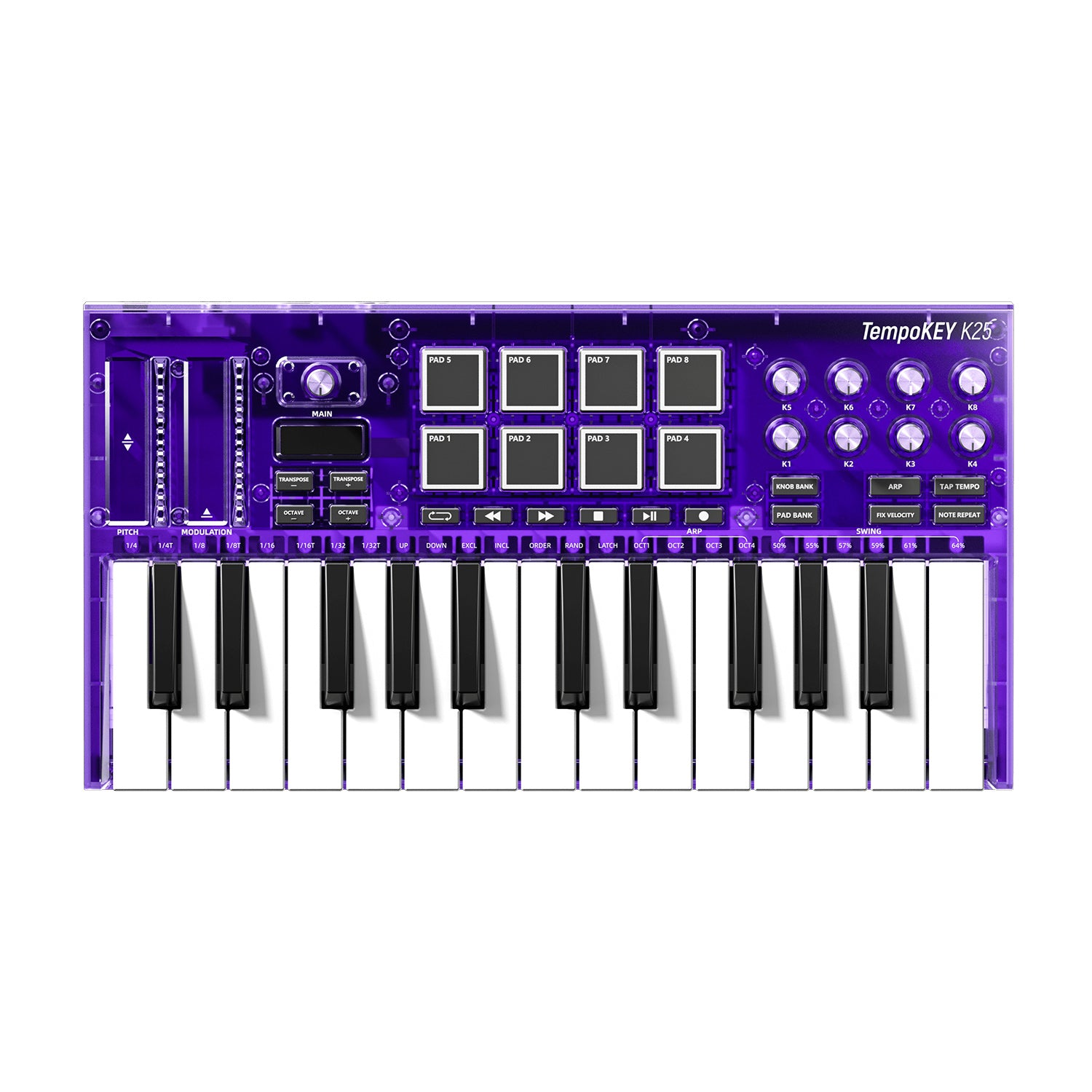
Easily customize your performance with the TempoKEY K25. With the main control knob and OLED display, you can adjust and assign MIDI parameters for the pitch/mod touch strips, pads, knobs, and transport buttons directly on the 25-key MIDI keyboard—no complex software setup required. Fine-tune everything to match your playing style for quick, on-the-go control and total creative freedom anywhere.
NOTICE: Please be aware that our MIDI keyboard does not produce sound on its own.


Turn your ideas into music with the TempoKEY K25 midi keyboard ’s arpeggiator. Explore multiple note divisions from 1/4 to 1/32T to create richer melodies and dynamic rhythms. Seven versatile modes (Up, Down, Exclusive, Inclusive, Order, Random, and Latch) give you total control over melodic motion. Expand your arpeggios across 1–4 octaves for richer, layered melodies, and adjust swing (50–64%) to add natural groove and expressive rhythm, making it easy to create dynamics.
Control up to 16 parameters with 8 fully assignable knobs and dual KNOB BANKs. Quickly adjust synths, effects, and volumes on the fly, switch groups with color-coded feedback, and enjoy full, flexible, hands-on control for live performance or studio work.
NOTICE: Please be aware that our MIDI controller does not produce sound on its own.


USB-C powered and plug-and-play ready, the TempoKEY K25 midi controller keyboard connects easily to phones, tablets, or computers, delivering stable power and instant setup, perfect for mobile music creation and hassle-free performance anywhere.
NOTICE: Please be aware that our MIDI controller does not produce sound on its own.
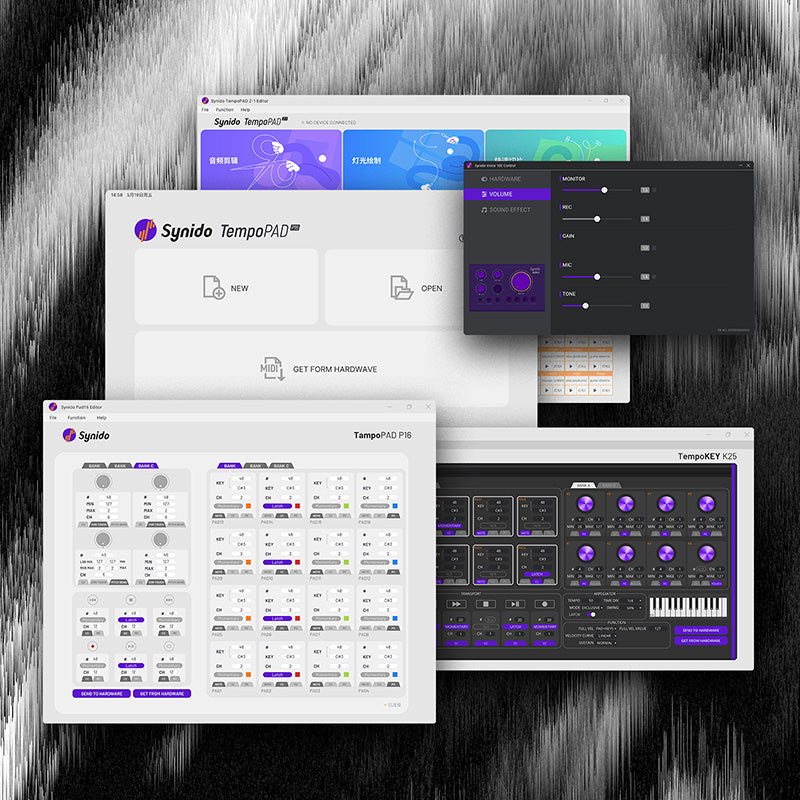
Easily manage MIDI keyboard parameters via the official software, including adjusting pitch/mod, pads, knobs, transport controls, arpeggiator, velocity curves, and sustain pedal settings, with simple installation and regular firmware updates for professional, personalized, and up-to-date performance every time. Whether for home creation, studio production, or live performance, you can quickly set complex parameters on your computer and apply them directly to the keyboard.